
Play Online
Play Pingus in your Browser
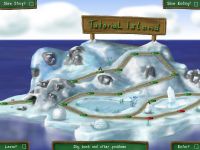
Pingus can be played directly in your web browser, no download or installation required. The web version is the regular Pingus game compiled to WebAssembly and contains the complete game, including the worldmap, the story and all levels.
Before you Start
- The game data is about 35 MB, so the first start can take a moment depending on your connection. A progress bar is shown while loading.
- A recent desktop browser (Firefox, Chrome, Edge or Safari) with a mouse is recommended. Pingus is played with a mouse, touchscreens may work but are not the main target.
- This is a development version built from the current Git tree, not the stable 0.7.6 release, so expect the occasional rough edge. Bugs can be reported on the issue tracker.
Saving your Progress
Your progress, such as solved levels and the position on the worldmap, is saved automatically in your browser's local storage. It stays there between visits, but it is tied to this browser on this computer and will be lost if you clear your browser's site data.
Below the game you find Download backup and Upload backup buttons. Use them to keep a copy of your savegame or to move it to another browser or computer.
Controls
| Left mouse button | Select an action from the button panel, apply it to a pingu |
|---|---|
| Right/middle mouse button | Hold and drag to scroll the level |
| Mouse wheel, Tab, 1–0 | Choose an action |
| Arrow keys | Scroll the level |
| P | Pause |
| F / Space | Fast forward |
| S | Single step (while paused) |
| A | Armageddon, blow up all pingus |
| Escape | Leave the level / go back |
The Fullscreen button below the game gives you a larger view, Pause freezes the game completely. Switching to another browser tab also pauses the game.
Other Versions
If you prefer a native version for your computer, have a look at the download page.